.png)
Devices
Explore devices list, search, filters, and how to drill into a device
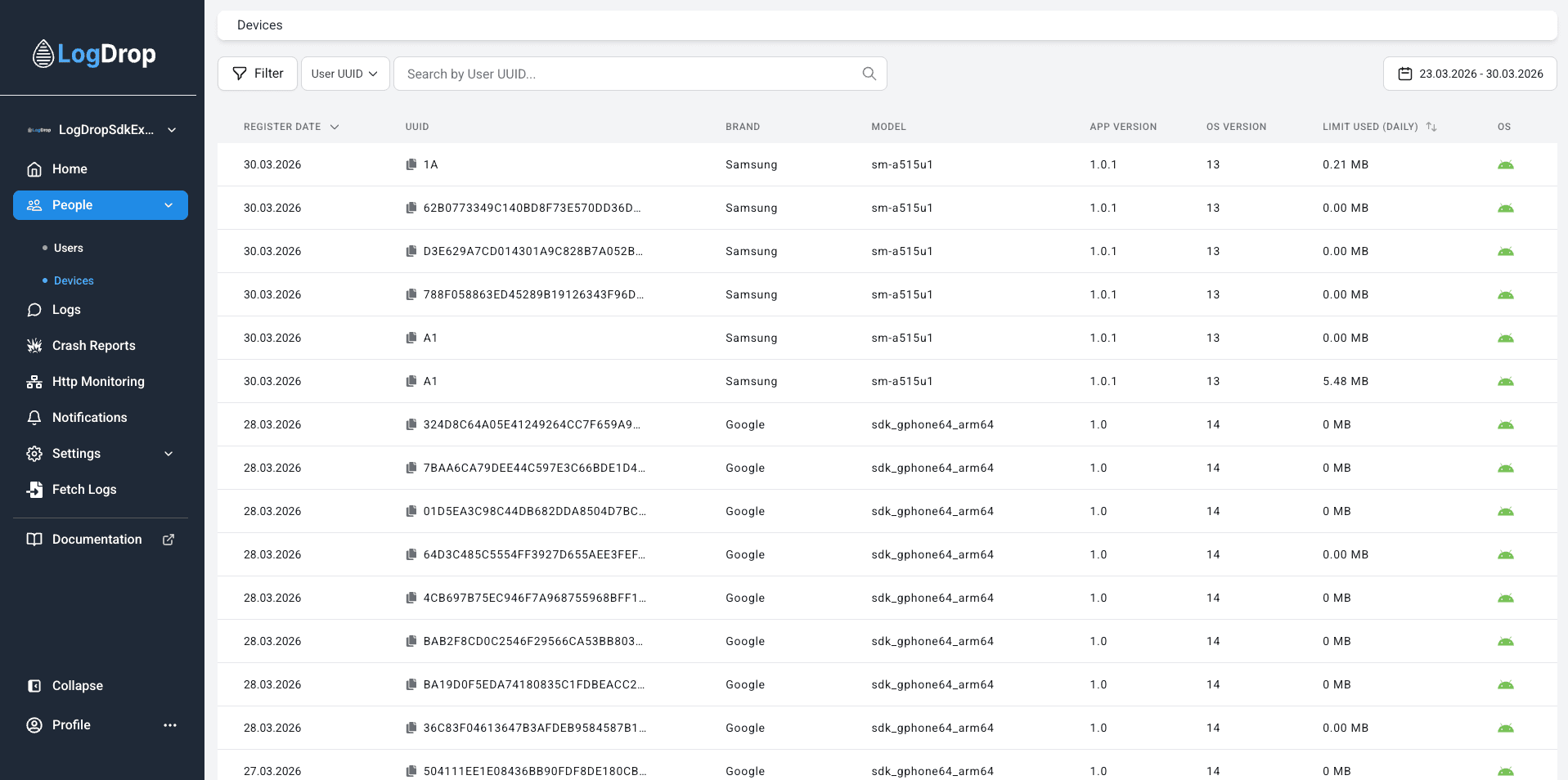
The Devices page lists all devices where LogDrop SDK is active. Use it to search by UUID, filter by platform/model/version, and drill down into a single device for logs, crashes, and HTTP activity.
1) What you can do on Devices
- Find a device by Device UUID or identify a user by User UUID.
- Filter devices by Platform, Device Model, App Version, OS Version.
- Use date filtering to focus on a specific activity window.
- Open Device Detail to inspect logs, last crashes, and HTTP requests for that device.
Screenshot: Devices page (list)
2) Search (Device UUID / User UUID)
Devices supports two primary search types. Choose the appropriate one depending on what you’re trying to find.
- Search by Device UUID: Use when you already have a specific device identifier.
- Search by User UUID: Use to find devices associated with a user identity.
Screenshot: Search controls

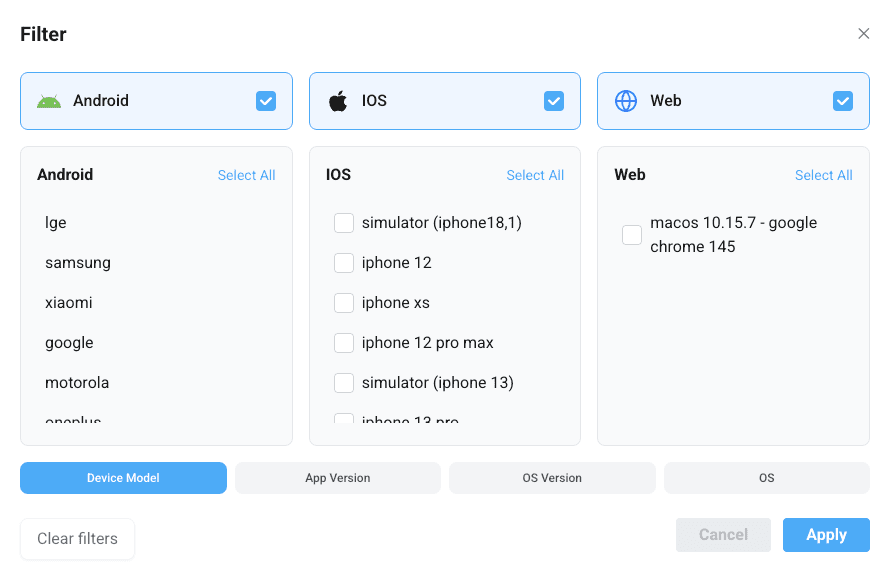
3) Filters
Filtering helps you narrow the list to a meaningful subset—especially useful for release analysis and platform comparisons.
- Platform: iOS / Android (and Huawei if applicable)
- Device Model: compare issues across hardware models
- App Version: validate release impact after deployments
- OS Version: identify OS-specific regressions
Screenshot: Filters section
4) Date filtering
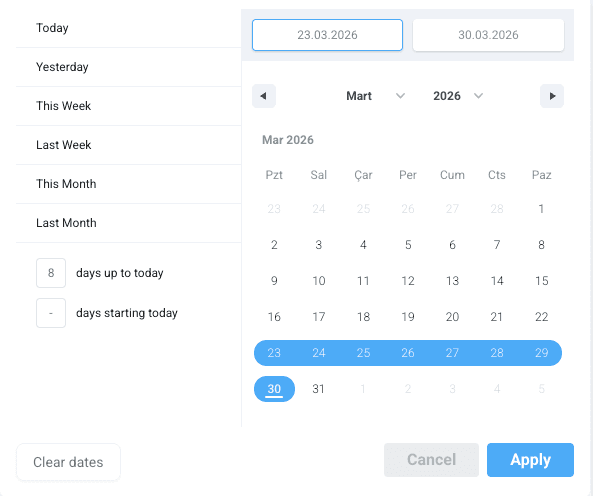
Use date filters to focus on a time window (e.g., after a specific release date) and avoid noise from older devices.
Screenshot: Date filter
5) Devices table (common columns)
The table typically shows a summary per device. Depending on configuration, you may see:
- Register Date (first seen)
- Device UUID
- Brand / Model
- App Version
- OS Version / Platform
- Daily limit used (if limits are enabled)
Tip: When investigating a crash or abnormal HTTP behavior, open the device in Device Detail and jump to Log Detail or HTTP request detail from there.