.png)
Device Detail
Inspect a single device’s info, logs, crashes, HTTP activity, and user management actions
Device Detail provides an end-to-end view for a single device: device metadata, log files, recent crashes, and HTTP requests. It’s the fastest way to debug a specific user/device issue.
1) Device Info
The Device Info section summarizes device identity and status. Depending on configuration, you may see:
- Device UUID
- Brand / Model
- Platform (iOS / Android / Huawei) and OS Version
- App Version and SDK Version (if displayed)
- Register Date, Last Updated
- Daily limit used / remaining (if limits are enabled)
- Status
Screenshot: Device info section

Custom attributes in user information
When you open a user from People, the User Info card shows the custom attributes synchronized by that user's linked devices. The keys are listed alphabetically, making it easy to verify the current values before using them for segment-based push targeting.
To add, update, or remove these values, use the Android custom user attribute API, iOS custom user attribute API, Flutter custom user attribute API, or the React Native custom user attribute API.
2) Log Info (Log file summary)
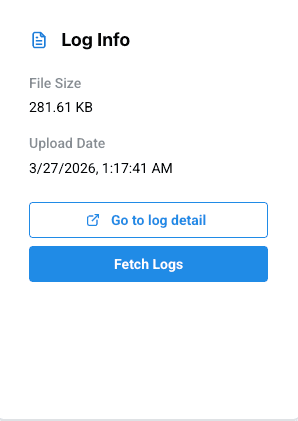
Log Info shows the latest log artifact uploaded for the device and provides shortcuts to inspect it.
- File size and upload date
- Go to Log Detail to inspect log lines
- Fetch Logs to request real-time logs (if enabled)
Screenshot: Log info + shortcuts
3) Crash Info (Last crashes)
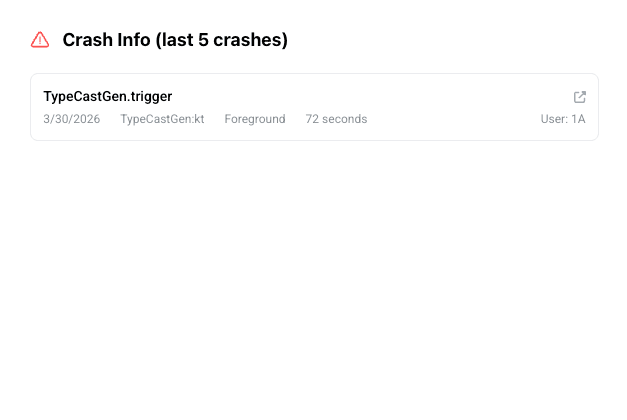
This section lists the latest crashes observed for the device (often the last 5). Use it to jump into Crash Detail quickly.
Screenshot: Recent crashes list
4) HTTP Logs (Requests from this device)
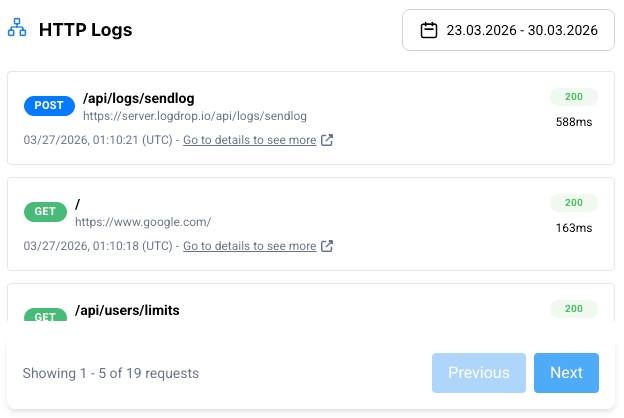
HTTP Logs shows requests captured from the device. Typical fields include method, endpoint, status code, response time, and timestamp. Use filters to narrow down the view.
- Method, Endpoint, Status code
- Response time (ms)
- Date filter (if available)
- Open a request to see Endpoint Detail
Screenshot: HTTP logs table
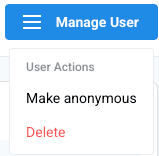
5) Manage User (Anonymize / Delete)
The Manage User actions are administrative and may be restricted by role. Use them carefully:
- Make Anonymous: anonymizes the user’s personal identity details while keeping technical logs for debugging.
- Delete: permanently deletes the user/device-related data. This action is typically irreversible.
Safety: Use Delete only when required (e.g., compliance requests). Prefer Make Anonymous for privacy-safe debugging.
Screenshot: Manage user actions