.png)
Analyze
Review mobile app binary scans and source-code security findings in LogDrop Panel
Select a screenshot to open it at full size.
Analyze brings security scan reports for your mobile app into one project view. Upload an iOS IPA or Android APK to scan a built app, or open source-code reports submitted by a LogDrop Taint CI workflow.
Scan an app binary
- Select the intended project and open Analyze.
- Click Upload IPA/APK and choose an
.ipaor.apkfile. The upload control accepts files up to 300 MB. - For an iOS IPA, optionally attach the matching dSYM archive as
.zipor.tar.gz. A dSYM folder cannot be uploaded directly. Use Check IPA / dSYM compatibility if you want to check their UUIDs before scanning. - Click Scan. When the scan finishes, open its report from the list.
The binary's app ID must match an app ID registered for this project when one is configured. A mismatch stops the scan without saving a report. A dSYM helps verify iOS symbol compatibility; it is not used for Android APKs.
Read the reports
The report list separates Binary Reports from Source Reports and can be filtered by iOS or Android. Each row shows the app or file, version, highest finding severity, scan date, and finding count. The summary cards show totals across the project reports.
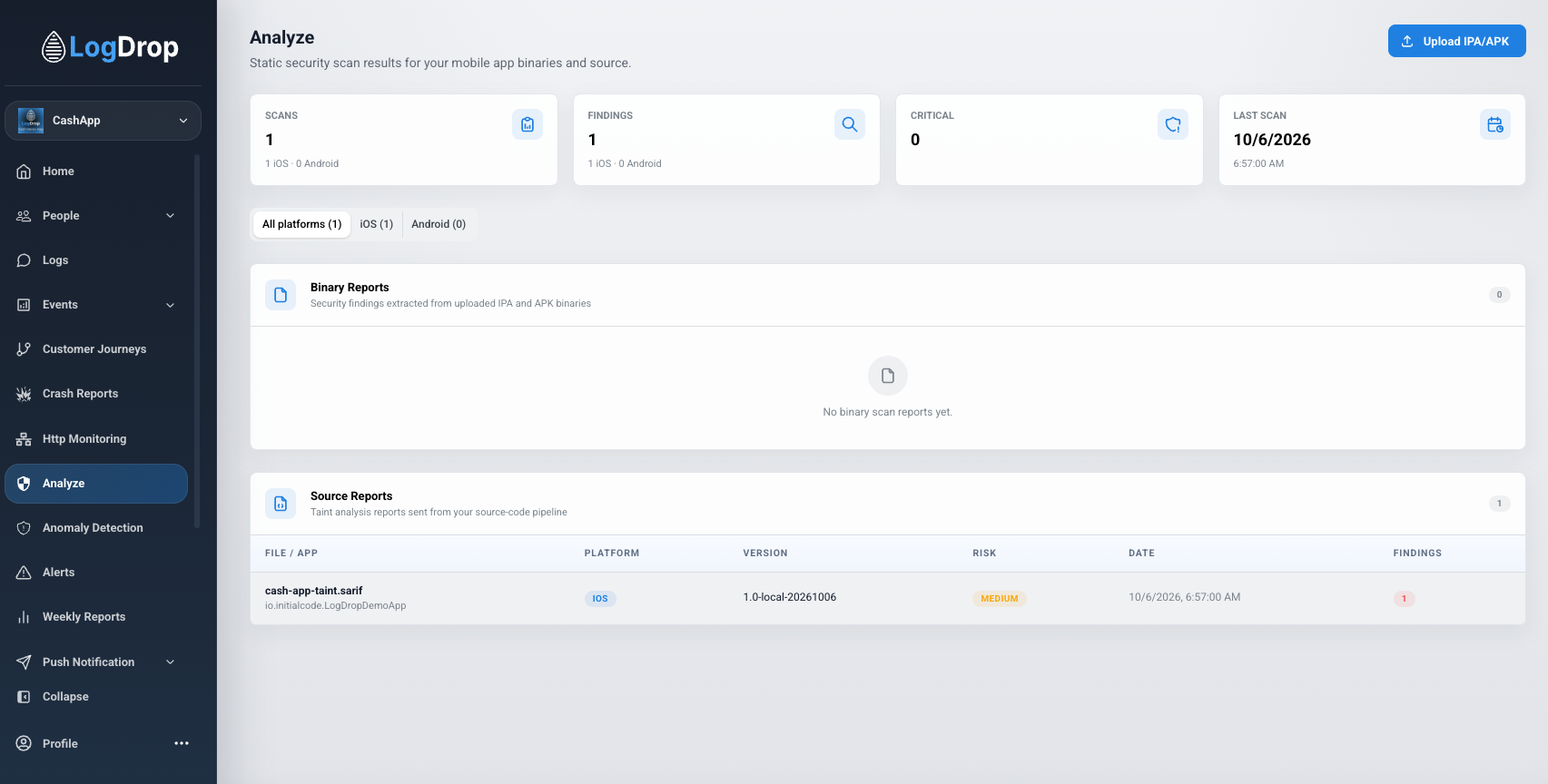
- Binary report: Use Summary for the severity overview, Report for individual findings and evidence, and Compare to inspect changes against another scan of the same app.
- Source report: Use Report for file locations and source-to-sink flow traces. A code snippet appears only if the uploaded SARIF included one. Use Compare to see new and fixed findings across reports.
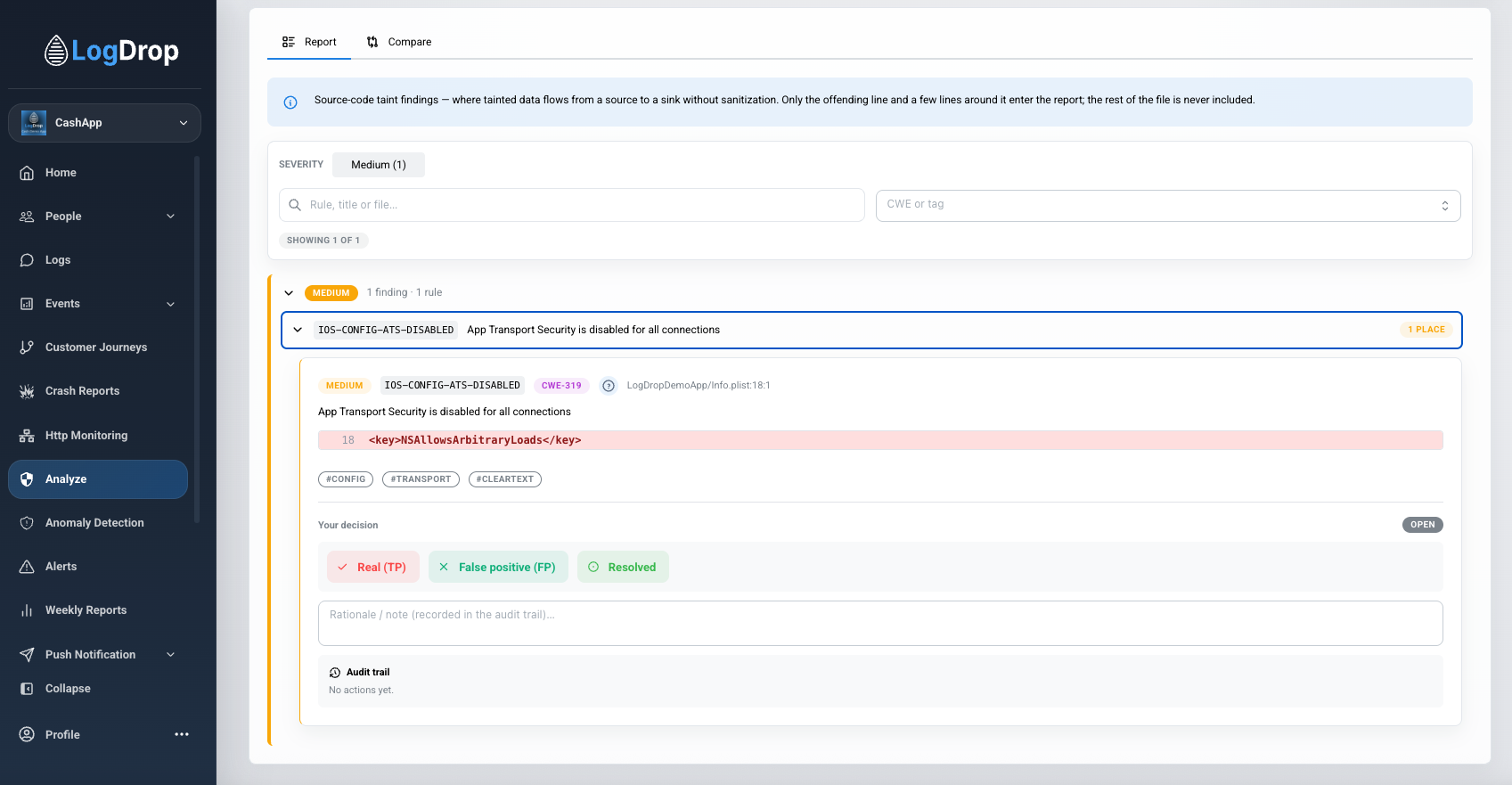
- Review findings: Mark a finding Real (TP), False positive (FP), or Resolved, and add a review note. False positives are hidden by default in the report and can be shown again. Review decisions have an audit trail.
Source reports come from the LogDrop Taint analyzers. The analyzers run in your own workflow; sending a SARIF report to LogDrop is a separate step. Review the platform guide before enabling upload, especially if your report includes source snippets.
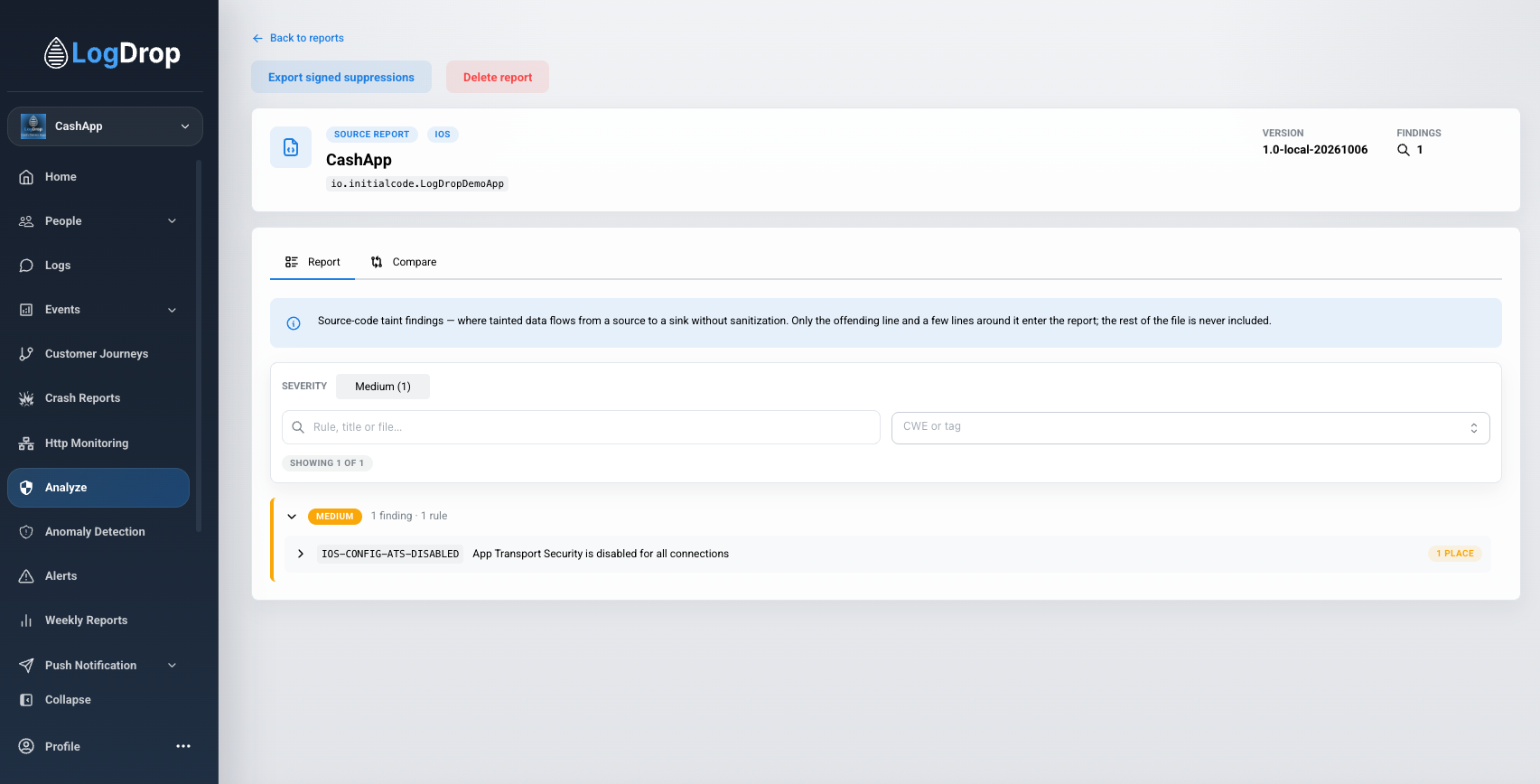
Expand a finding to inspect its location, available code snippet, review controls, and audit trail.
Report actions
When available, Rescan retained binary runs the current engine on a stored binary and replaces that report's findings while preserving review decisions. An older report may no longer have its original package. Delete report permanently removes that report and its stored artifacts; it does not delete SDK telemetry. For a source report, Export signed suppressions downloads reviewed false-positive fingerprints for use in your repository.
Analyze reports describe findings in submitted binaries or source reports. They are separate from the Threat Score Dashboard widget, which summarizes recent device risk events. A report with no findings is not proof that an app has no security issues.