.png)
User provisioning
Add members automatically on their first SSO sign-in with JIT, or let your identity provider add, update and remove them over SCIM 2.0.
The User provisioning tab decides who becomes a member without an invitation. Use one of the two: JIT adds people when they first sign in, SCIM lets your identity provider manage members itself. Both need a verified domain.
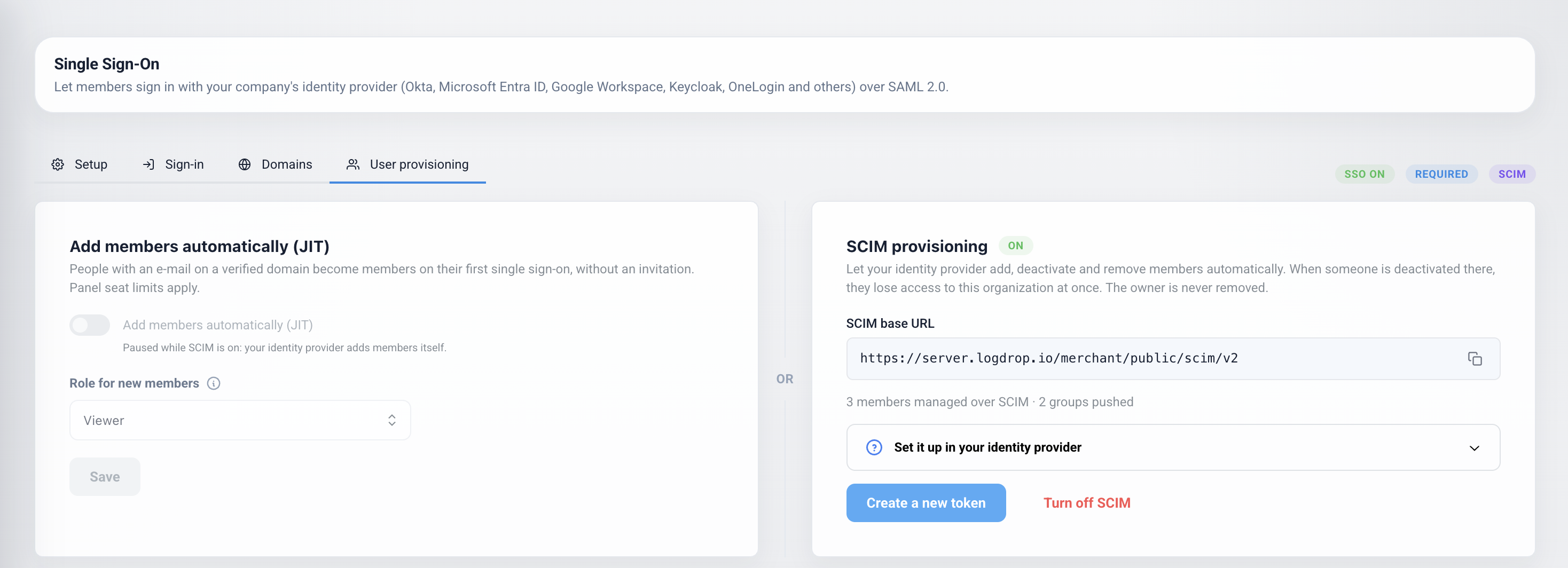
Add members automatically (JIT)
People with an e-mail address on a verified domain become members on their first SSO sign-in, without an invitation. JIT also works with identity providers that cannot provision over SCIM, such as Google Workspace.
- Role for new members: given in every project. Admin cannot be given this way. If roles from groups are on, the group table decides instead.
- Panel seat limits apply, as for invitations. When no seat is free, the sign-in is refused with a message.
- JIT is paused while SCIM is on, because your identity provider then adds members itself, and JIT could bring back people SCIM removed.
SCIM provisioning
SCIM 2.0 is a standard that identity providers use to manage users in other applications. With it, your identity provider adds, updates, deactivates and removes members. When someone is deactivated or unassigned there, they lose access to this organization at once. The owner is never removed.
- Select Turn on SCIM and create a token.
- Copy the SCIM token right away. It is shown only once.
- In your identity provider, enter the SCIM base URL (
https://server.logdrop.io/merchant/public/scim/v2) and the token as a bearer token. - Assign people (and, for roles from groups, groups) to the LogDrop application.
Set it up in your identity provider has steps for Okta, Microsoft Entra ID, OneLogin and other SCIM 2.0 providers. Google Workspace does not provision custom SAML applications over SCIM, and Keycloak needs an extension for it; use JIT with them instead.
| What your identity provider does | What happens in LogDrop |
|---|---|
| Assigns a person to LogDrop | They become a member with the role for new members (or their group roles). Seat limits apply. |
| Changes their name | The name is updated in LogDrop. |
| Deactivates or unassigns them | Their membership in this organization is removed at once. The account and its other organizations stay. |
| Pushes groups and changes members | Roles from groups are updated at once, without a sign-in. |
The card shows how many members are managed over SCIM and how many groups your identity provider pushed.
userName is the e-mail address
LogDrop finds members by the SCIM userName, which must be the person's e-mail address on a verified domain. In Okta, set Unique identifier field for users to userName. In Microsoft Entra ID, map userName to the user's mail if their user principal name is not their e-mail address.
Create a new token replaces the token: the old one stops working at once. Turn off SCIM stops your identity provider from changing members; existing members stay.
Microsoft Entra ID timing
Entra ID sends changes in cycles of about 40 minutes. To send a person or a group at once, use Provision on demand. If a removal from a group does not arrive, do not use Restart provisioning: its first cycle only adds members. Instead use Provision on demand, pick the group, choose View all users and select the person who was removed.