.png)
Sign-in rules
Turn single sign-on on or off, require it for members, set how often members sign in again, or remove the setup.
The Sign-in tab controls how members of your organization sign in once the setup is saved. The badges at the top right show the current state: SSO ON, REQUIRED and SCIM.
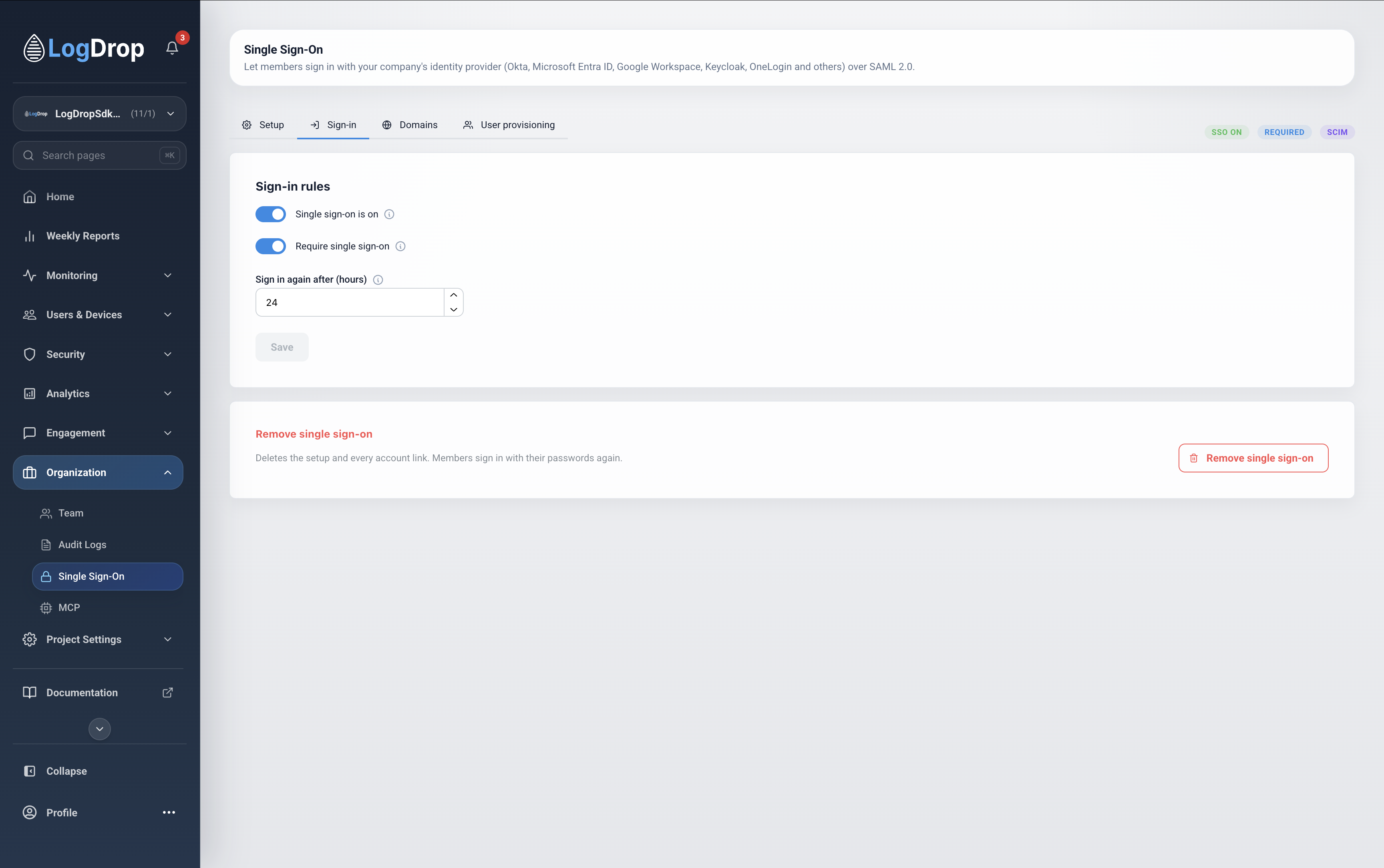
Sign-in rules
| Setting | What it does |
|---|---|
| Single sign-on is on | Turns single sign-on off for a while without losing the setup. |
| Require single sign-on | Members must sign in through your identity provider to open this organization. Password sign-ins are refused for them. |
| Sign in again after (hours) | How long an SSO session lasts, from 1 to 168 hours. Members then sign in through your identity provider again. |
Hover the info icon next to each setting for a short explanation.
Test before you require it
Sign in once through single sign-on before you turn on Require single sign-on. The owner can always sign in with their password, so a broken setup cannot lock everyone out; these owner sign-ins are recorded in Organization → Audit Logs.
While single sign-on is on but not required, members can still sign in with their LogDrop password. Someone turned off in your identity provider may then keep access to LogDrop. Turn on Require single sign-on once everyone can sign in through it, or use SCIM so deactivated people are removed at once.
When SSO sessions end
An SSO session keeps a member signed in to your organization after they sign in through your identity provider. When it ends, they sign in through your identity provider again. This happens:
- After Sign in again after (hours), or earlier if your identity provider's session ends first.
- At once when you change the identity provider connection or turn single sign-on off.
- When a member opens another organization. An SSO session works only in the organization that issued it.
Remove single sign-on
Remove single sign-on deletes the setup and every account link. Members sign in with their passwords again. Accounts that SSO created have no password; they can set one with Forgot Password once no organization of theirs requires single sign-on. To pause single sign-on without losing the setup, turn off Single sign-on is on instead.